
How to search images offline on your Mac with Seenlio
By Priyanshu Urmaliya · 4 min read
The short answer
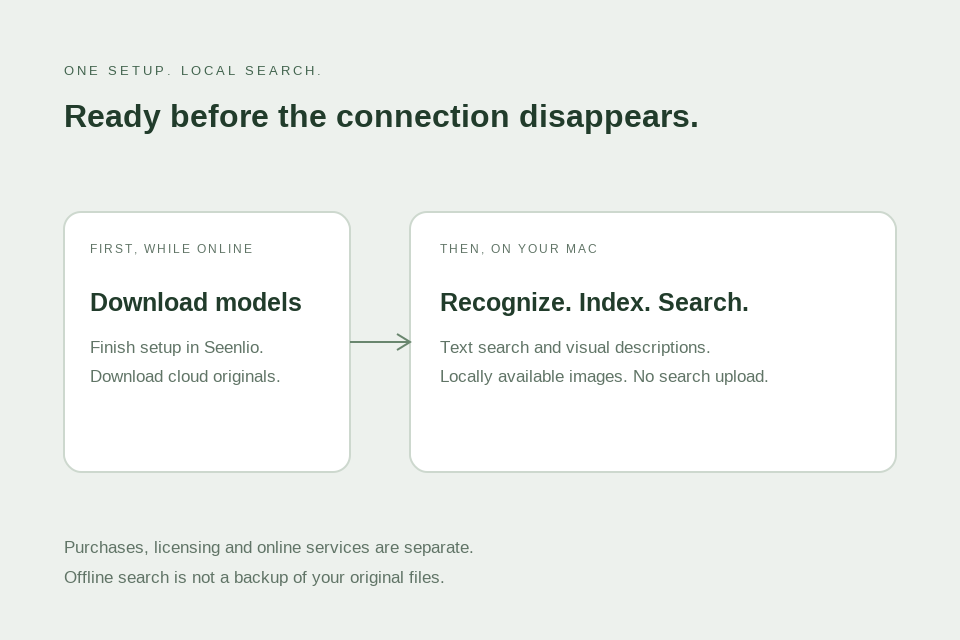
Install Seenlio’s models while online and make sure the original images are downloaded to your Mac. After setup, image recognition and search run on your device. Purchases, licensing and other online services are separate.
You open your Mac on a train and remember a reference image you need. There is no reliable connection. Whether you can find it now depends on what was ready before you left—not just whether its filename appears in a folder.
1. Finish the online setup first
Open Seenlio with an internet connection and complete model installation. Wait for the download to finish before relying on text or visual search. The models provide the recognition used by the app.
Add a small folder and allow some images to index. Search a phrase and a visual description while you are still online so you know that setup has completed. This is a preparation check, not a claim that every query will produce a match.
2. Make the images available locally
A file listed by a cloud-storage app can still be a placeholder. Download the originals you need before leaving the network. If your folder lives on an external drive, keep that drive connected and accessible.
Seenlio reads common image formats and PDF pages. Adding a folder does not turn cloud-only files into downloaded images.
3. Check the workflow without a connection
After setup and indexing, disconnect from the network and try finding an image you know is in the library. Use Text for its words or Visual for an English description. Open the result and confirm that the original is available.
If it fails, check models, folder access and indexing before blaming the query. A cached thumbnail or an unfinished model download can make a library look more ready than it is. Reconnect if you need to finish setup.
What “local search” does—and does not—mean
Seenlio’s documented design keeps images, extracted text and image embeddings on your computer for recognition and search. That is different from uploading an image to a hosted search tool.
The initial download, purchase and license services, app updates and website analytics are separate network activities. Local image processing is not a promise that every part of buying or using the product never connects to the internet. Read the privacy policy for the exact boundaries.